Codex Executor Codexfor Android
Latest build v2.720 ·

Codex Executor

Run Roblox
scripts on your
phone.

Codex provides the best script execution experience for Roblox. With the easy-to-use interface, faster experience and minimal crashes all while constant updates.

Download APK · v2.720
Released
Size ~165 MB · free forever

About Codex Executor

The easiest way to script Roblox on a phone.

Codex is a Roblox executor — a software that lets you execute custom Lua scripts inside Roblox. There are dozens of scripts available. You can find scripts anywhere from the internet and simply put in the editor and execute it. It works smoothly with no crash experience.

Its true that the Android market of Roblox Executor is not big but still it lacks quality executors made by those who understand the product. With almost 4 years in the market, the Codex has been proved itself to be the most updated and reliable exploit out there.

Every release is updated as soon as the Roblox build is released so your scripts do not stop working due to the Roblox updates.

v2.720
Live build, mirrored hourly from codex.lol
8.0+
Android version required to install
Free
No subscription, no account, no SMS
3
Pre-loaded community tools out of the box

Features

Everything you need to script Roblox.

A complete scripting experience designed for your phone — not a stripped-down port of the desktop one.

A real Lua editor, in your pocket.

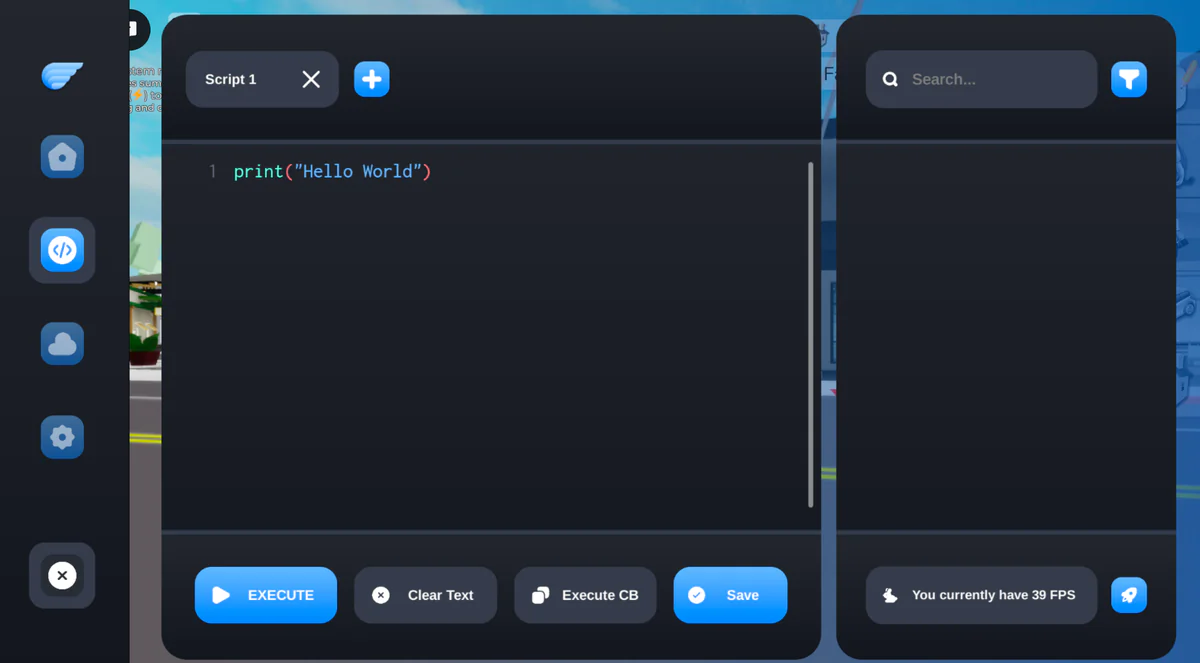
Multi-tab editor that present the script in a nice syntax highlights with Execute button below the editor. If there is any mistake in the script press the Clear Text button to clear the input. Scripts can also be saved and the tabs can be renamed and reordered.

Syntax highlight Multi-tab Clipboard execute Live FPS
Editor tabs detail

Quick actions

Speed, Gravity, Jump — applied on the next tick.

Cloud library

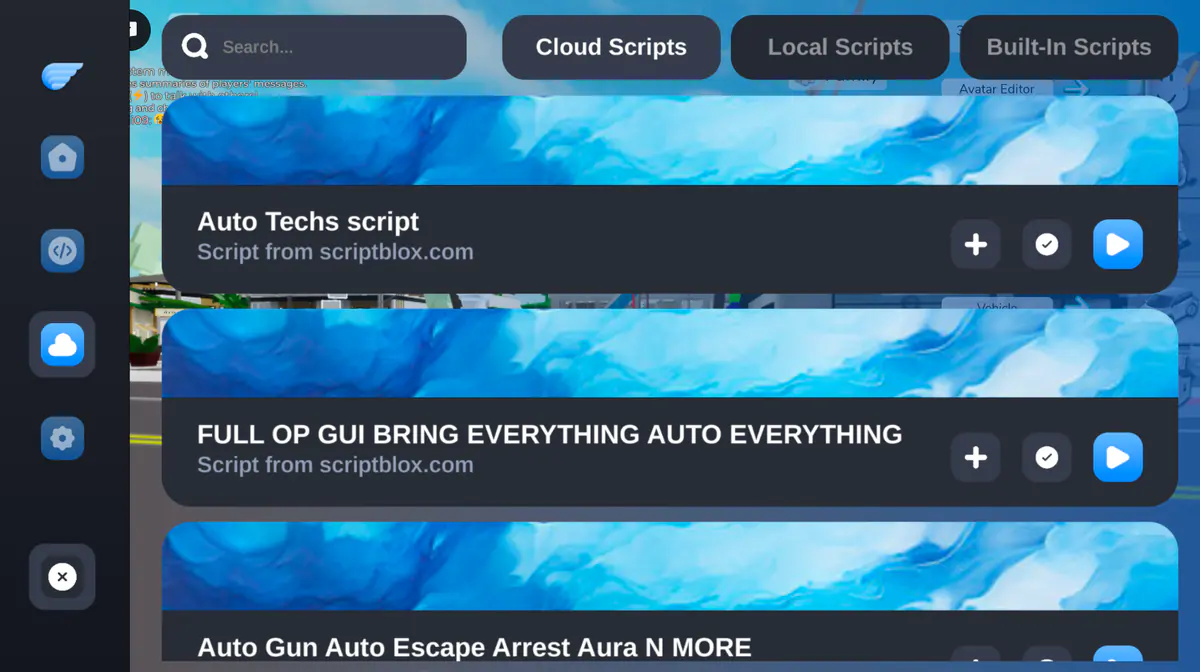
Browse scriptblox scripts inside the overlay.

Pre-loaded

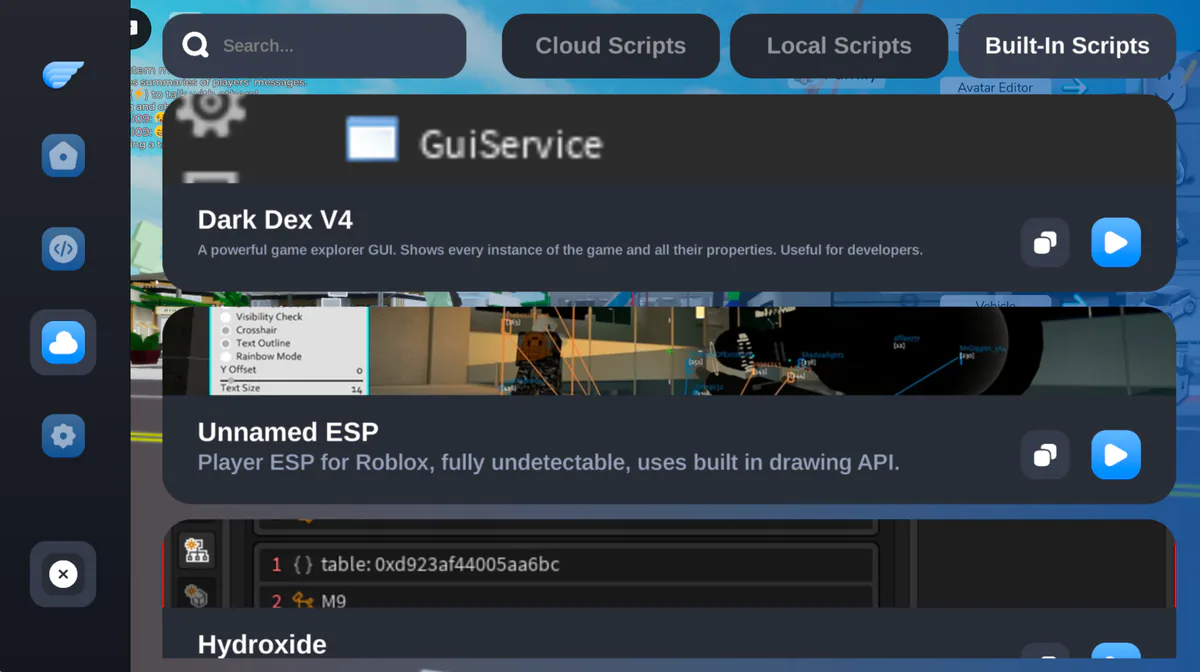
Dark Dex V4, Player ESP, Hydroxide in the box.

Tunable

Auto-exec, custom gesture, classic / modern UI.

Telemetry

FPS, network, key-validity at a glance.

Inside the overlay

Five panels you'll be living in.

Each one tuned to do its job at a glance — dashboard, editor, cloud library, built-in tools and settings.

01 · Dashboard

Greeting, key countdown, sliders.

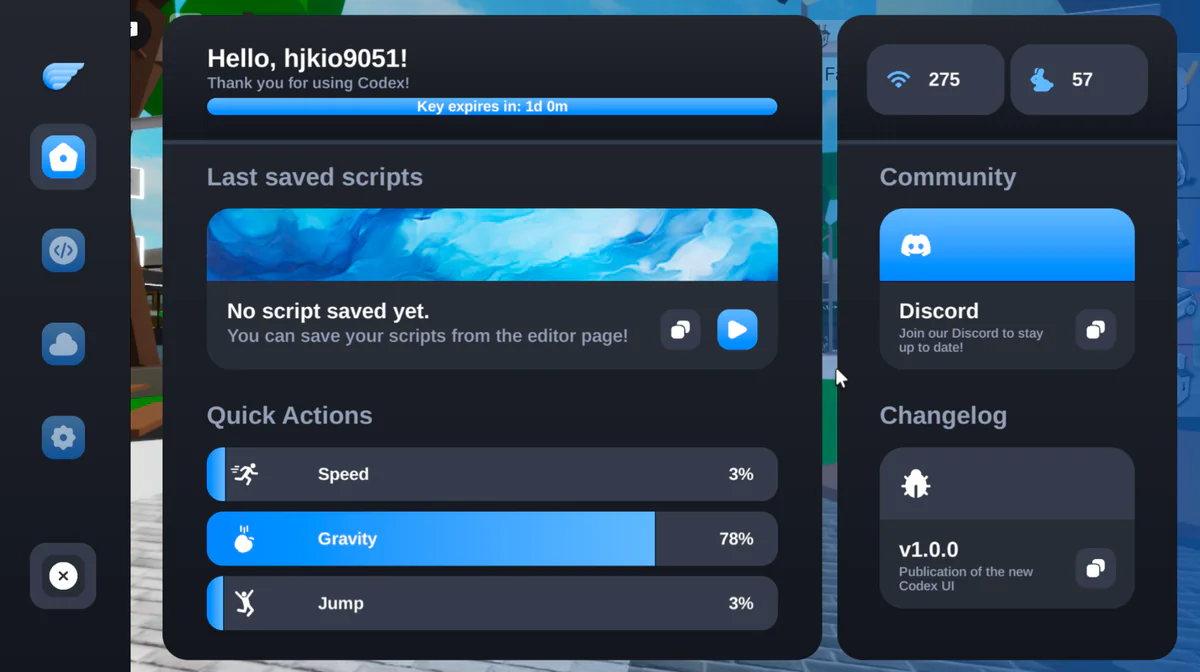
The dashboard greets you with hello, then there is key expire countdown. Your last saved scripts also appear here so its one click executable from here. Then there are three quick action sliders; Speed, Gravity and Jump.

Home dashboard
Script editor detail
02 · Editor

A clean place to write Lua.

A script editor with proper syntax highlight. Execute to run the script, Save to keep it for later use and Execute CB to fire whatever is in your clipboard. Live FPS resides in the corner.

Cloud library
Built-in tools
03 · Cloud & built-in

The community, indexed — and the basics, in the box.

The built-in scripts gives you preloaded tools like Dark Dex V4, Player ESP, Hydroxide. Let you filter, preview and run all without leaving the Roblox.

04 · Settings

Set it once. Forget it.

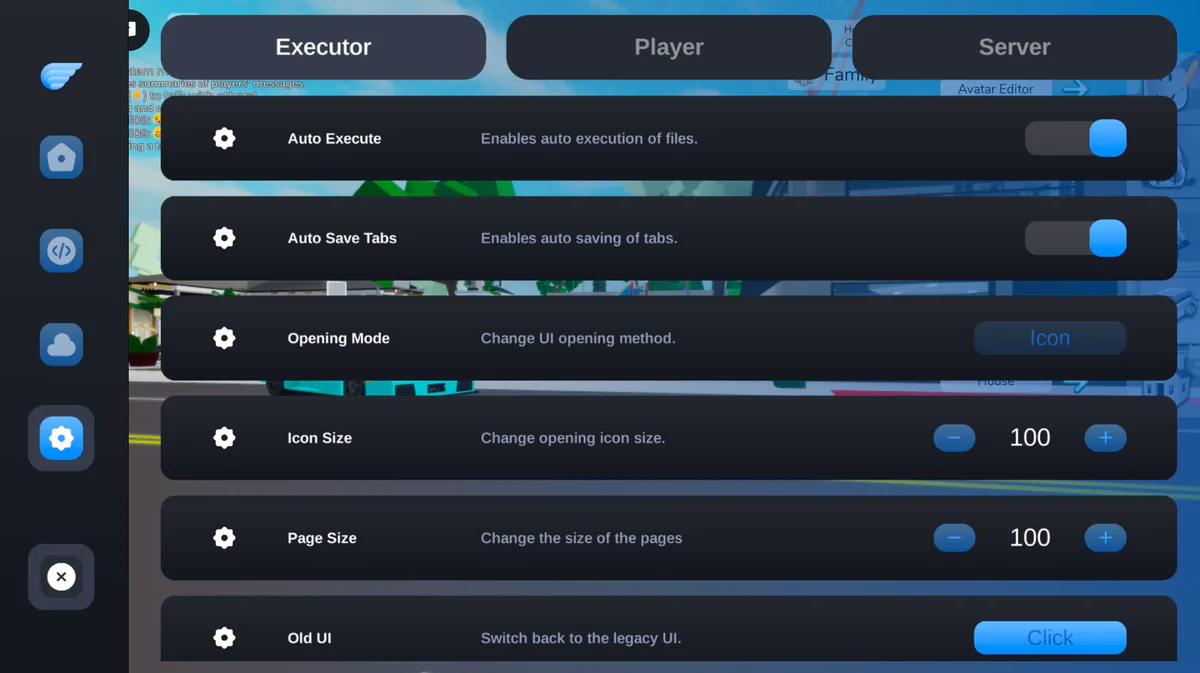
The Codex executor let you configure itself. You can enable auto execute so the script files are executed automatically, auto-save tab lets you save without clicking the save button and the old UI let you switch back to the legacy UI. There are also separate player and server settings which can be adjusted from here as well.

Settings
05 · Telemetry

The numbers, when you need them.

Live FPS, network strength, key validity countdown — all from dashboard tab. So you see lag before it affect you and renew key without leaving.

57fps Live frame rate
275 Latency
23hleft Key validity
Telemetry detail
A note before you install

It's not a port.
It's not a fork.
It's the real thing.

Your scripts won’t break with Roblox updates — every release is tested on the latest build. While other executors may stop working, Codex keeps running smoothly.

Install Codex Executor

From APK to first script in about three minutes.

Four steps. The Codex Executor is updated instantly as soon as Roblox's new version is released. So you always get the working version.

  1. 01

    Download the APK

    Download and install the APK file from the download button on the page. Once the file is downloaded, tap on it to open it so it begins installing.

  2. 02

    Allow the install

    Android may ask permission to install — go and enable installation from unknown sources in the settings to continue the installation. It may also ask to enable storage permission, so enable it to install it properly.

  3. 03

    Get your key

    Launch the app, it’ll take some time to load, and then click the Codex icon to open the UI. To begin executing the scripts, complete the key process so you get whitelisted and start using the app. Keys last 24 hours.

  4. 04

    Start scripting

    Once you’re whitelisted you can begin exploring the Codex. You can now exploit Roblox games.

Download · live build

Codex Executor.
One tap away.

The official Codex Executor APK. Skip the timer and link-locker and download the file instantly.

Get the APK
~165 MB Released Free forever
FAQ

Quick answers.

Get questions answered on safety, bans, keys, iOS support, and other installation issues. Anything else? Drop into the Discord — you’ll get the answer instantly.

Is Codex safe to install?

In addition to being 100% safe, Codex is ban-proof. Although it's still recommended to have a separate account for it. Android may warn you because you're installing from a third-party source and not from the Play Store — that's normal, and it happens for all sideload installations.

Will I get banned for using Codex?

The executor modifies the Roblox client in a very secure way. It's a byphron bypass; however, there's still a risk, and we therefore recommend using it on alt accounts.

Where do I get the key?

It is necessary to have the key before you can begin exploiting Roblox scripts. It will be authenticated once you copy the key link and follow the steps. Copy the key you get and paste it back into Codex. Keys are valid for 1 day.

How often is Codex updated?

Whenever Roblox ships an update, the executor needs a new build. Because Roblox does not let you run old versions, updating is necessary — roughly every one to two weeks. To update the app, simply remove the old version of the app and install the latest version of the APK.

Does Codex work on iOS?

Not today — Codex is Android-only. There is a planned iOS version, but we cannot share a timeline at this time.

The APK won't install — what now?

This is mostly the Install unknown apps issue. Android, by default, does not allow installing apps from browsers. Enable Install unknown apps for your browser or file manager in Android Settings → search Install unknown apps → tap on it and enable it. Now you can try installing the app again and it will install smoothly.

Can I run scripts from other sites?

Yes. Codex is a generic Lua executor — anything written for the script executor environment can run. However, stick to ScriptBlox and Robloxscripts to be safe.